

Mobile-ID SIM renewal (Estonia)
-
How can I tell that a notification about replacing my SIM card is not a scam?
Notifications about replacing your SIM card only contain information about the need
to replace it. They will never ask for your Mobile-ID PIN codes, passwords, bank
card details or other sensitive information.When you receive a notification, always make sure that it comes from your mobile
operator. The safest option is to open your operator’s official website or mobile app
and check the information there. If you have any doubts, do not open links in the
message or email. Instead, contact your mobile operator’s customer support.Updating or replacing Mobile-ID always requires a physical SIM card replacement.
Remember: trusted service providers will never ask for your Mobile-ID PIN codes by
phone, SMS or email. If someone does, it is an attempted scam. -
Why do I need to replace my Mobile-ID SIM card?
Due to the implementation of the European Union’s eIDAS 2.0 requirements, older SIM cards will no longer support the Mobile-ID service from 19 May 2027.
To continue using Mobile-ID, you need to replace your current SIM card with a new one and sign a new Mobile-ID agreement. To avoid service disruptions, SIM card renewals will be carried out gradually before the new requirements take effect.
-
How do I know if I need to replace my SIM card?
Your mobile operator will notify you personally if the SIM card associated with your Mobile-ID needs to be replaced. You will receive the notification by email, SMS, or through your self-service portal. The notification will include further instructions and any relevant deadlines.
You can also check the expiry date of your Mobile-ID agreement at any time. This information is available on your mobile operator’s website or in their self-service portal.
-
How can I replace my SIM card and sign a new Mobile-ID agreement?
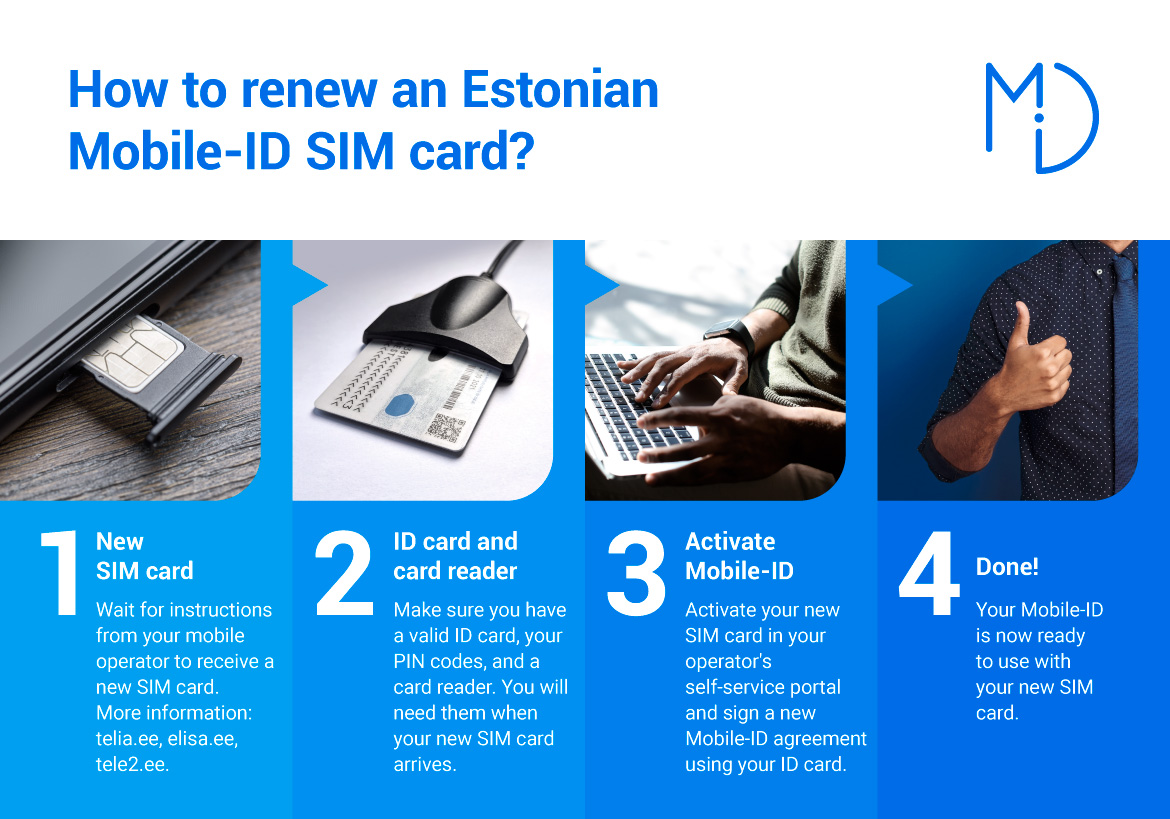
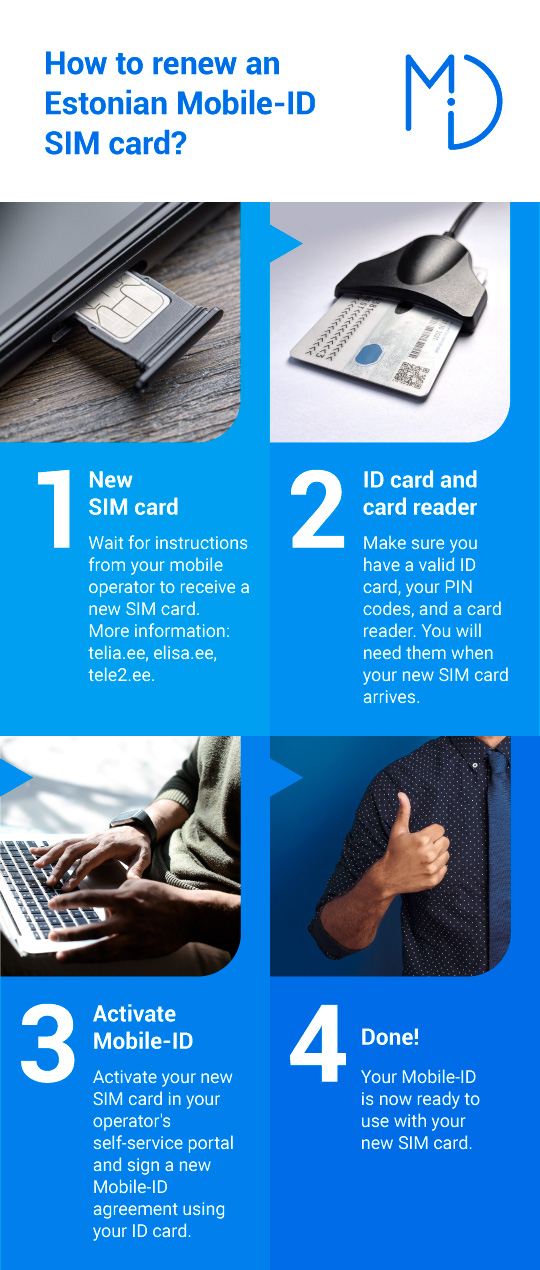
You can order a new SIM card through your mobile operator’s self-service portal. If your SIM card needs to be replaced, your mobile operator will also contact you directly and provide detailed instructions and a timeline by email, SMS, or through the self-service portal.
To replace your SIM card and sign a new Mobile-ID agreement, you will need a valid Estonian ID card with its PIN codes and an ID card reader.
If you are outside Estonia, you can still order a new SIM card through your operator’s self-service portal and have it delivered to an address in Estonia.
-
Why do I need to sign a new Mobile-ID agreement if my current Mobile-ID is still valid?
Although your current Mobile-ID may still be valid, the new EU eIDAS 2.0 requirements require the use of a new SIM card that supports the updated Mobile-ID service.
As Mobile-ID data cannot be transferred from one SIM card to another, you will need to sign a new Mobile-ID agreement after replacing your SIM card in order to continue using the service.
-
Is replacing the SIM card free of charge?
If you have a valid Mobile-ID agreement, replacing your SIM card with a new Mobile-ID-enabled SIM card through your mobile operator’s self-service portal is free of charge.
In other cases, the terms and any applicable fees depend on your mobile operator. For more information, please visit your mobile operator’s website.
-
Will the new SIM card work in my current phone?
In most cases, the new SIM card will work in the same phone as your current SIM card. If your phone currently supports Mobile-ID, it should also support the new SIM card.
If you use an older phone or experience any issues after replacing your SIM card, we recommend contacting your mobile operator’s customer support. They can help you check whether your phone is compatible with the new SIM card.
-
Will my PIN codes stay the same?
No. When you receive your new SIM card and sign a new Mobile-ID agreement, you will also receive new Mobile-ID PIN codes. Your existing PIN codes cannot be transferred to the new SIM card. You can change your PIN codes if you wish.
Keep your new PIN codes in a safe place and do not share them with anyone.
-
Will my existing digital signatures remain valid?
Yes. Replacing your Mobile-ID SIM card and renewing your certificates does not affect the validity of digital signatures created using the digital signature formats used in Estonia.
-
What happens if I do not replace my SIM card?
If you do not replace your SIM card before 19 May 2027, you will no longer be able to use Mobile-ID (for example, to log in to e-services or create digital signatures).
Your SIM card and mobile number will continue to work for regular mobile services. You will still be able to make calls, send text messages, and use mobile internet.
-
What should I do with my old SIM card?
Before destroying your old SIM card, make sure that you have transferred any data you want to keep. If your contacts are stored on the SIM card, copy them to your phone or a cloud service first.
Once you have done this, you can physically destroy the old SIM card, for example by cutting it into pieces. We recommend disposing of it at an electronic waste collection point or together with other electronic waste.